
Home › Social Media, AI and Video
Social Media, AI and Video
Reach clients where they already are: short videos from your own photos, posts written with your own AI, and video calls and live classes they book like any service.
AI and Social, Built In
Turn photos into short videos, write posts with your own AI, and send one post to the social accounts you connect. Your two assistants still answer clients and help you run the day.
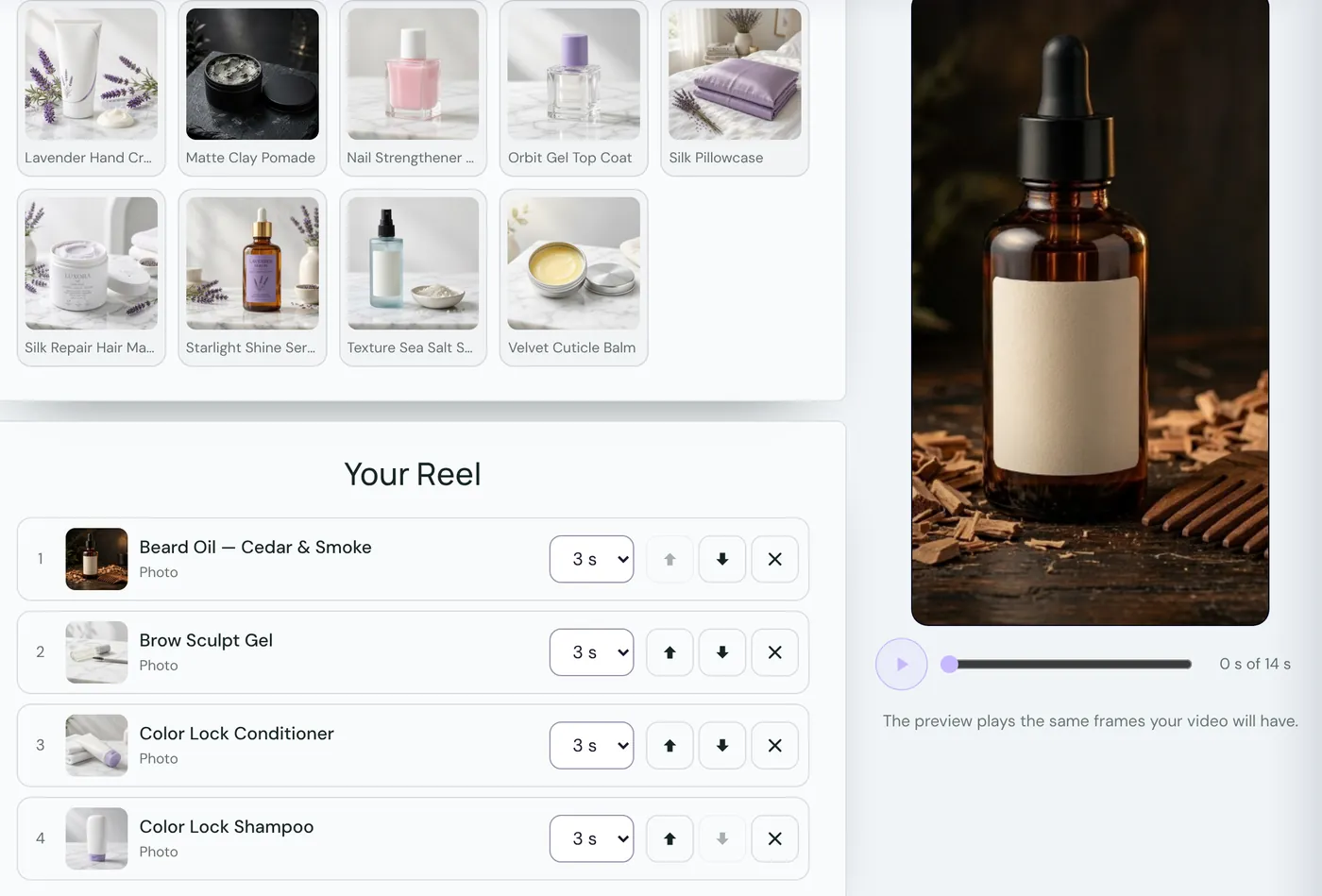
- Reel Maker. Pick a few photos, videos or reviews, set the order and timing, add words and music, and it makes a short video ready to post.
- Write posts with your own AI. Use a free Google Gemini key, or your own Claude or ChatGPT. Your key is locked with a passcode on your device, so Cosmic Creators can never see it.
- One post, many places. Write it once and send it to the social accounts you connect. Facebook, Instagram, Threads and Go Live on Facebook are coming soon, once Meta finishes its review.
- Your two assistants. A chat bubble on your website answers clients about services, prices and open times. Cosmo helps you and your team find clients and open times when you type or say “Hey Cosmo.” Neither one changes a booking without a person saying yes.
Meet Clients Anywhere, on Video
Video calls work for almost any business, and each booking gets its own private call room. Teach group classes or one-on-one lessons too, live or on replay. Clients and students join from their booking, with no app or account.
-
Meet Clients Face to Face, From Anywhere
Coaching sessions, lessons and tutoring, consultations, design reviews, check-ins and follow-ups. Clients book a call like any service.
- Each booking gets its own private call room
- Clients join from their booking, no app or account
- Mark any service as a video call
Shown: Life coach

-
Clients Agree to Your Video Policy
Join a few minutes early, the session ends on time, and an optional per-minute overtime rate you set. They tick a box before booking.
- Join a few minutes early
- The session ends on time
- An optional overtime rate you set
Shown: Music teacher

-
Reminders Tell Them When to Join
The day before and 2 hours before, with a link straight to their booking. Fifteen minutes before, a Join video call button appears on their booking page, from the link in every email.
- Reminders the day before and 2 hours before
- Join button 15 minutes before
- No account needed
Shown: Language tutor

-
Start the Call, Then Settle Up
Tap Start video call on the booking; your client waits until you start. Afterward, any minutes past the end time are worked out for you. Charge overtime to the card on file or waive it, and collect the rest of the price.
- Start the call from your dashboard
- Overtime worked out for you
- Charge it or waive it
Shown: Tattoo artist

-
Teach a Class, Live or on Replay
Run group classes or one-on-one lessons on video: workshops, fitness, music, language, art, cooking, business skills and more. Students sign up and pay on your website, then join from their booking.
- Set the date, length, price and open seats
- Repeat it weekly if it’s a regular class
- Any team member can teach
Shown: Fitness instructor

-
Everyone in One Private Room
Students join from their booking link, with no app or account. They can chat while you teach, and there’s a place for questions before and after class, with your answers marked as the teacher.
- Live video
- Live chat, which you can turn off
- Comments and questions
Shown: Cooking teacher

-
Keep It Going After Class
Add a link or upload the video, and choose when students can watch it. Set how close to class a student can still get their money back, and link items from your shop that go with the class.
- Share the replay
- Refunds on your terms
- Suggest products from your shop
Shown: Art teacher

People in these photos are AI-generated examples, not real customers. Names, prices, times and the overtime rate shown are examples too; you set your own overtime rate, or none.
Be the Creator of Your Own Universe.
Start today and change your look, services and prices anytime.
Start creating